Fund once from your bank. Pay everyone.
Your business gets a permanent deposit number. Pay any amount into it from CRDB or NMB, free, and the money lands in your Malipopay wallet, ready for salaries, suppliers, agents and refunds.
Your deposit number
MD1000017
Copy CRDB Bank
 NMB Bank
Pay bills, choose Malipopay, enter your number. The bank shows your business name before you confirm.
Example number for illustration
Free
To deposit
Any amount
As often as you like
Permanent
One number, never changes
CRDB + NMB
Pay from either bank
How a deposit works
Three steps from your company bank account to your Malipopay wallet.
Get your deposit number
Every Malipopay business gets its own permanent deposit number. Find it in your dashboard under Payments, then Deposits, or tap Fund wallet, and copy it in one tap.
Pay it from your bank
From CRDB or NMB, choose Pay bills, pick the Malipopay biller and enter your deposit number. The bank shows your business name before you confirm.
Money lands in your wallet
As soon as the bank confirms, the deposit is in your Malipopay wallet, listed under Deposits, and ready to pay out.
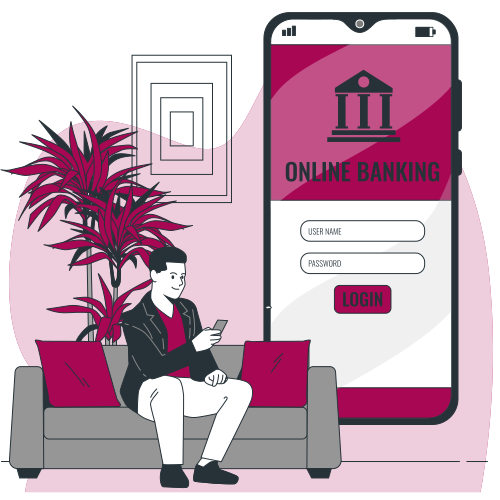
Deposit from the bank you already use
It is a normal bill payment, so it works on every channel your bank offers.
CRDB Bank
AvailableSimBanking, Internet Banking, Branch, CRDB Wakala
NMB Bank
AvailableNMB Mkononi, Internet Banking, Branch, NMB Wakala
TCB Bank
PlannedWe are working on TCB Bank. Contact us if you bank with TCB.
Deposited money is ready to pay out
It joins the rest of your wallet balance, so you can use it any way you pay today.
Single payouts
Send money to a mobile money number on M-Pesa, Mixx by YAS, Airtel Money or Halopesa, or to a bank account.
Bulk payouts
Pay a whole list at once from one file: payroll, suppliers, agents, members or beneficiaries.
Settlement to your bank
Move money you do not need back to your own verified business bank account, free of charge.
Payouts from your system
Send single or batch payouts from your ERP, payroll system or app with the Malipopay API and SDKs.
Pay hundreds of people from one Excel file
Batch payouts turn a payroll sheet or supplier list into payments, with a check and an approval before anything moves.
1. Download the Excel template
Get it from Deposits, Disbursements or New batch in your dashboard. A Guide sheet inside explains every column.
2. Fill in your payees
One row per person: payout type, mobile number or bank account, bank, amount, name and a description. Up to 500 rows per file.
3. Upload and verify
Upload it as Excel or CSV. Every row is checked, with a name lookup on the account, before anything is sent.
4. Approve with a code
Creating the batch sends nothing. The approver sees the total, the fees and the balance left, then approves with a one-time code.
5. Disburse
The batch is paid out from your wallet, and every row gets its own status and reference.
| Type | Account | Bank | Amount | Name | Description |
|---|---|---|---|---|---|
| Mobile | 0754 000 101 | - | 650,000 | Asha Mohamed | Salary, September |
| Bank | 2010 0000 000 | NMB | 2,450,000 | Kilimo Supplies Ltd | PO 0098 |
| Mobile | 0745 000 505 | - | 86,500 | Agent 0142, Mwanza | Commission, week 39 |
| Mobile | 0715 000 808 | - | 45,000 | Grace Mushi | Refund, order 55102 |
4 payees, mobile money and bank in one file
Approve with codeWhat businesses pay with it
From monthly payroll to daily rider earnings, the flow is the same: deposit, upload, approve, pay.
Built so money only goes where you meant it to
Controls on the way in and on the way out.
Your business name, shown by the bank
Before the payer confirms, the bank shows the name of the business that owns the deposit number, so money never goes to the wrong place.
Typos are refused
Deposit numbers carry a check digit. A mistyped number is rejected by the bank’s lookup instead of paying someone else.
One-time approval codes
Payouts and batches only leave your wallet after they are approved with a 6-digit code sent to the person approving by SMS, WhatsApp and email.
Maker-checker for batches
Ask us to switch on maker-checker and the person who uploads a batch can never be the one who approves it.
Free to deposit. Published fees to pay out.
You only pay when money leaves your wallet, on the same disbursement tariff every merchant sees.
Free
Deposit from CRDB or NMB
Your bank may charge its own bill payment fee
From TZS 500
Payout to mobile money
Banded flat fee by amount
From TZS 2,500
Payout to a bank account
Banded flat fee by amount
Questions about Direct Deposit
What is a deposit number?
How much does a deposit cost?
Is there a minimum or maximum deposit?
How quickly does the money show up?
Which banks can I deposit from?
When can I start using it?
Can my system be told when a deposit arrives?
Can I get my money back to my bank?
Get your deposit number today
Create a free account and your deposit number is waiting in the dashboard. Moving payroll or a large supplier run? Our team will help you set it up.